URL parameters
A deployed APEx Geospatial Explorer reads a small set of query-string parameters on load. These override the defaults baked into the configuration so you can deep-link to a specific view, layer set, or layout without editing the JSON.
The same reference table is rendered in-app on the Settings tab so it travels with the config.
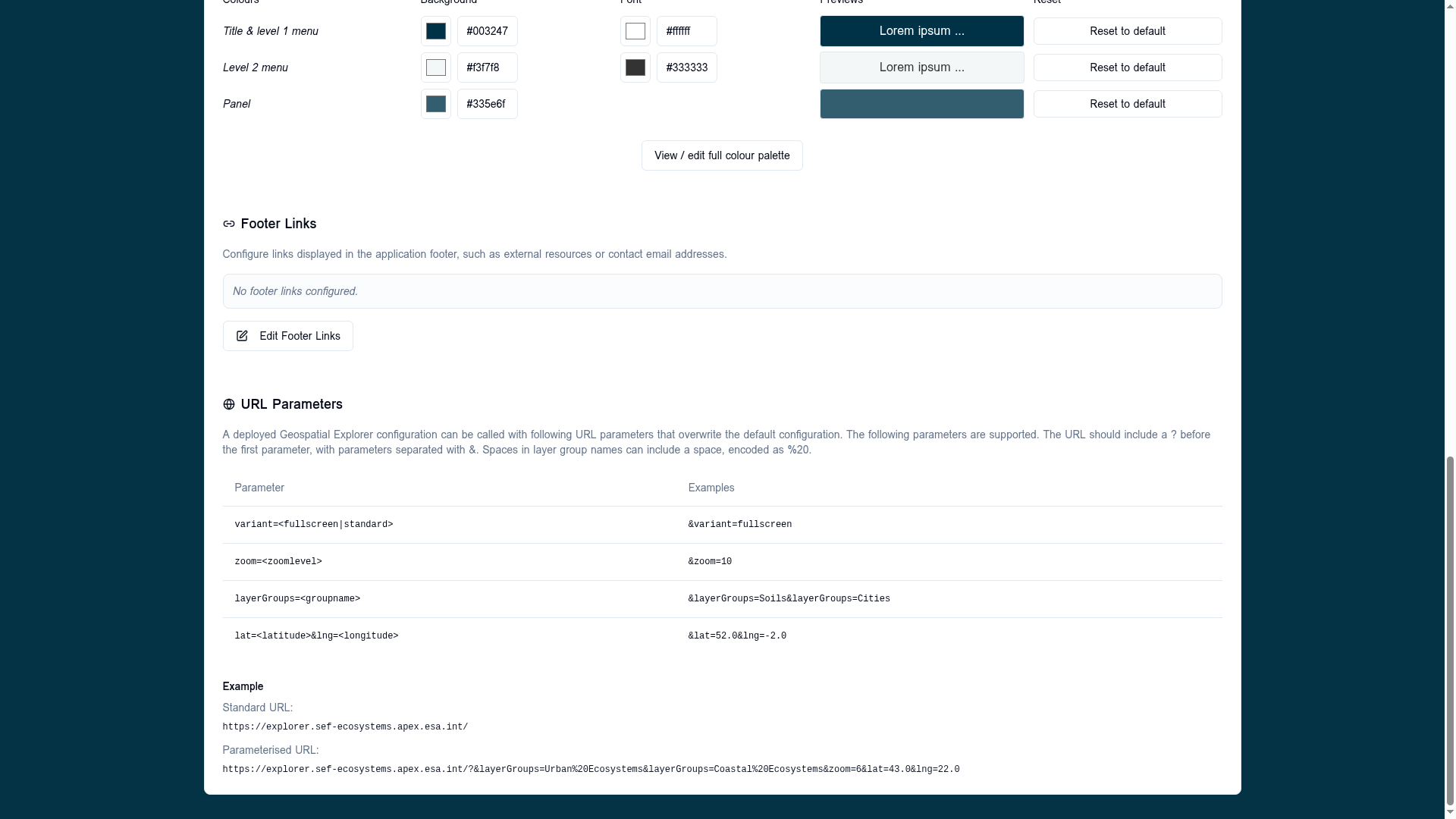
Supported parameters
| Parameter | Example | Effect |
|---|---|---|
variant=<fullscreen\|standard> |
&variant=fullscreen |
Overrides the layout variant. fullscreen hides the chrome around the map; standard shows the configured sidebar. |
zoom=<level> |
&zoom=10 |
Sets the initial map zoom. Integer in the map's zoom range. |
layerGroups=<group-name> |
&layerGroups=Soils&layerGroups=Cities |
Activates one or more interface groups at start. Repeat the parameter to enable multiple groups. |
lat=<latitude>&lng=<longitude> |
&lat=52.0&lng=-2.0 |
Sets the initial map centre. Decimal degrees. Both values must be supplied together. |
Syntax rules
- The query string must start with
?. Subsequent parameters are joined with&. - Spaces in interface group names must be percent-encoded as
%20(Urban Ecosystems→Urban%20Ecosystems). - Unknown parameters are silently ignored — safe to add tracking or campaign parameters alongside.
- Parameters that fail to parse (for example
zoom=abcorlat=999) fall back to the configured default for that field.
Examples
Standard URL — uses every default from the config:
https://explorer.sef-ecosystems.apex.esa.int/
Parameterised URL — open in fullscreen, with two interface groups active, centred at 43°N 22°E and zoomed to level 6:
https://explorer.sef-ecosystems.apex.esa.int/?&layerGroups=Urban%20Ecosystems&layerGroups=Coastal%20Ecosystems&zoom=6&lat=43.0&lng=22.0
Building a deep link
- Configure the view you want in the explorer (active groups, centre, zoom).
- Read the resulting URL parameters from the address bar — the explorer
keeps
lat,lng, andzoomin sync as you pan and zoom. - Copy that URL as your share / bookmark / embed link.
Layer-level state
Per-layer toggles (visibility, opacity, time slider position) are not part of the URL parameter contract today. Use interface groups to express "open this collection of layers".