Recommended services
The Add Recommended Services dialog is a one-click way to seed a new configuration with a curated catalogue of public APEx-friendly endpoints — STAC catalogues, OGC WMS servers, and S3 buckets that are known to validate cleanly in the builder.
Opening the dialog
On the Services tab, click Add Recommended Services in the Configured Services card header.
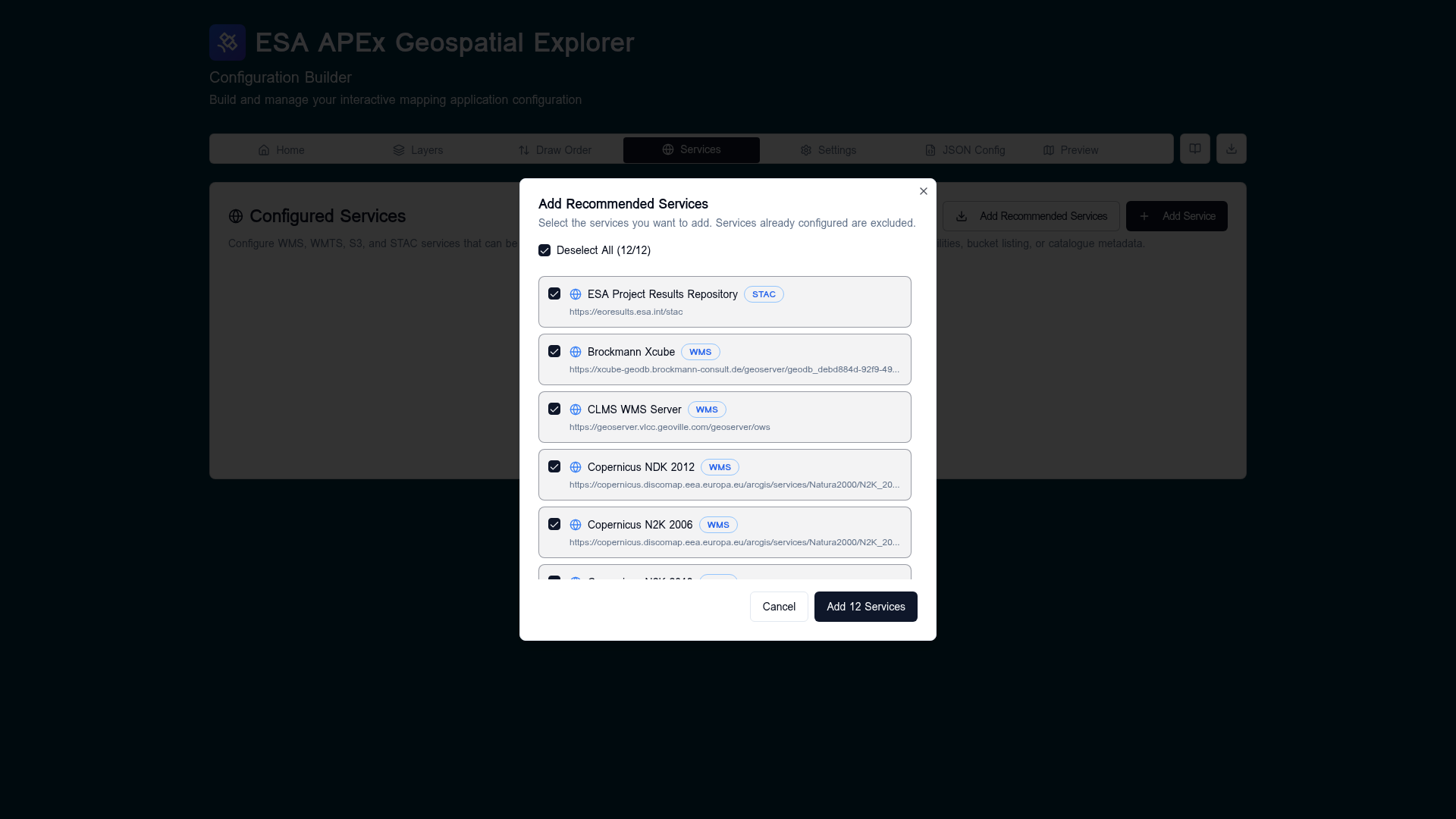
The dialog lists every recommended service that is not already present in the current config — services you have already added are filtered out so they cannot be duplicated.
Selecting services
- All entries are selected by default. Use the Deselect All / Select All checkbox in the header to flip the whole list at once.
- Each row shows the service name, type badge (STAC, WMS, S3), and URL. Click the row checkbox to include or exclude an individual service.
- The footer button label updates as you toggle (
Add 12 Services,Add 3 Services, etc.). The button is disabled when nothing is selected.
What gets added
Confirming inserts each selected service into config.services with its
recommended name, url, sourceType, and format. After insertion the
builder immediately runs the same validation pipeline used by Re-check
all — STAC GetCapabilities-equivalent calls, OGC GetCapabilities, and
S3 listings — so the new services pick up reachability and capability
metadata without a page reload.
If a recommended service later becomes unreachable or moves, edit it from the Services tab like any other entry; nothing about a "recommended" service is special after it is added.
When to use it
- Bootstrapping a brand-new config so you have working layers to play with.
- Reproducing a healthcheck issue against a known-good baseline.
- Comparing your own service performance against the public set.