Export options
The Export action on the Home tab is a split menu with two entries: a one-click default export, and a dialog for opting in to formatting options.
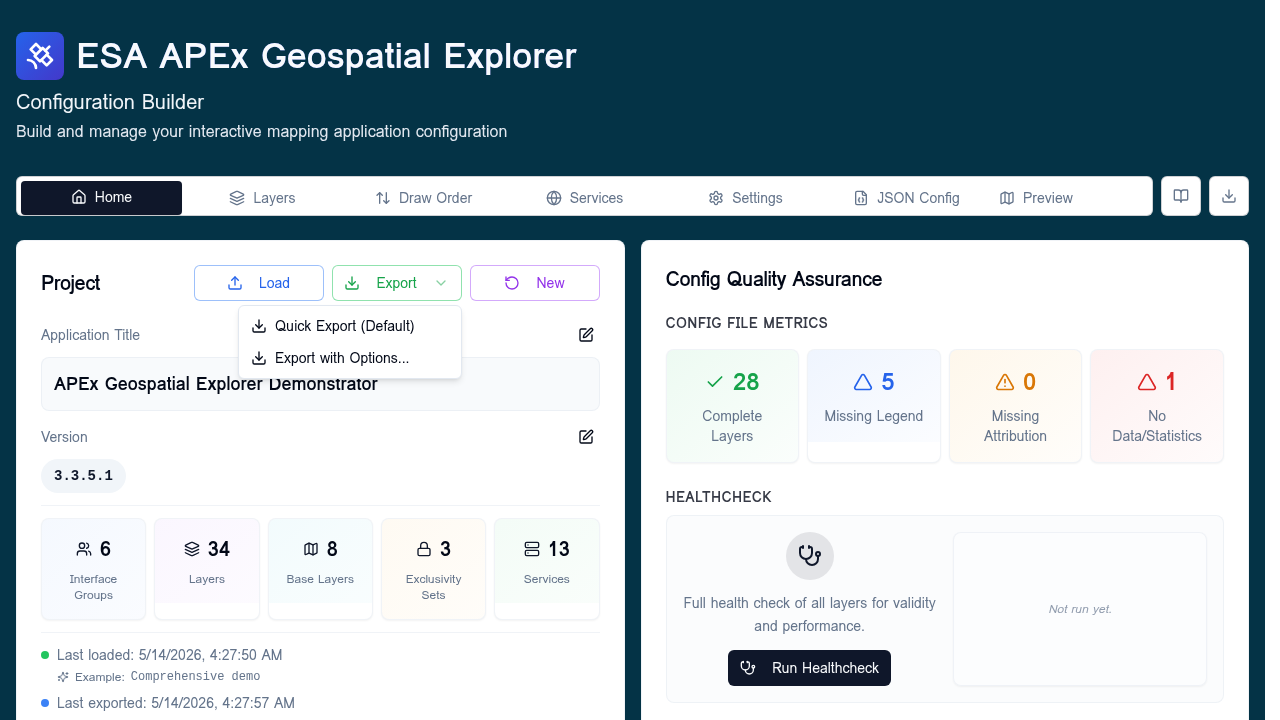
Quick Export (Default)
Exports the configuration as JSON immediately, with no transformations.
The downloaded filename is
<exportPrefix>_YYYYMMDD_HHMM.json (the prefix is configured under
Settings → Config Export Settings).
This is the recommended default — the file matches the in-memory configuration property-for-property, which is best for diffs and round-tripping.
Export with Options...
Opens a dialog with a single toggle.
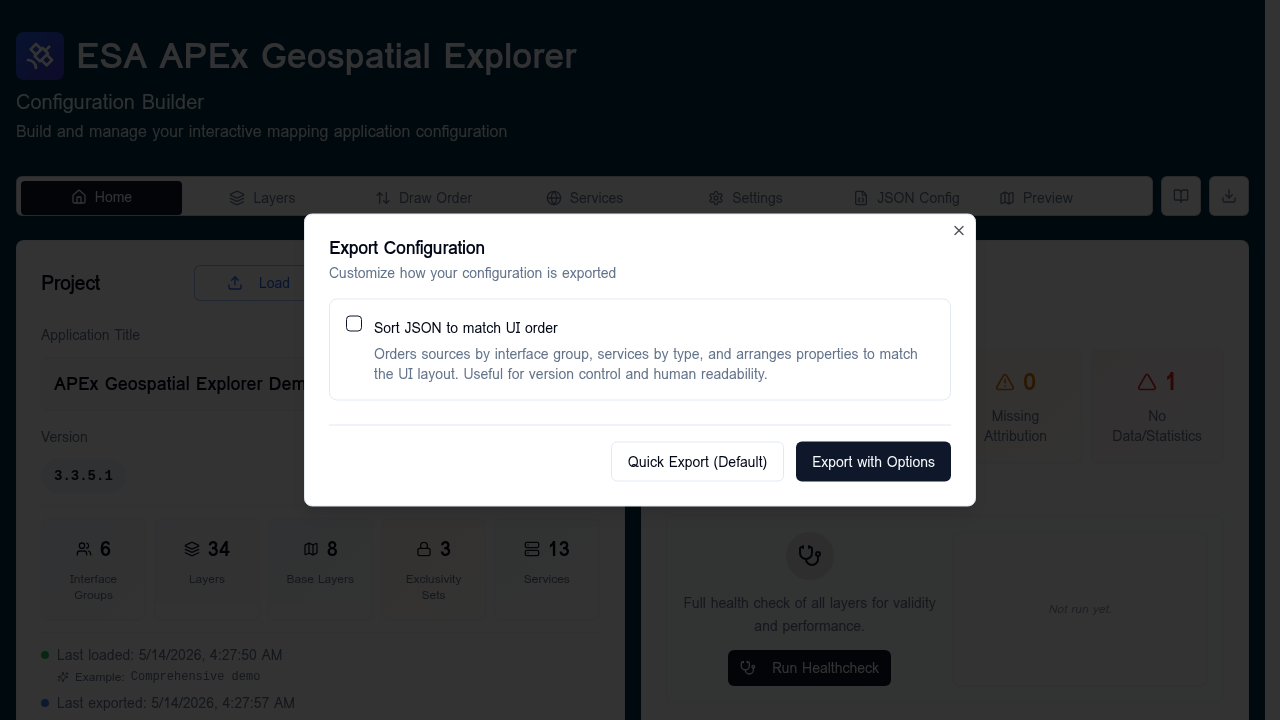
Sort JSON to match UI order
When enabled (sortToMatchUiOrder: true), the exporter reorders the
config to make it easier to read in version control and side-by-side with
the UI. Specifically:
- Sources are reordered to match the interface group ordering — grouped sources first (in group order), then ungrouped sources, then base layers.
- Services are reordered by type priority — STAC first, then WMS / WMTS, then S3, then any others, with alphabetical ordering within each group.
- Properties within each source are written in a fixed order:
name,isActive,isBaseLayer,preview,meta,layout,timeframe,defaultTimestamp,exclusivitySets,hasFeatureStatistics,data,statistics,constraints,workflows.
When disabled (the default), no reordering is applied.
The dialog has two buttons:
- Quick Export (Default) — exports immediately with options off, matching the menu's quick path.
- Export with Options — exports with the chosen options applied.
Read-only operation
Sorting only affects the downloaded JSON. The in-memory config and the JSON config tab are not modified.
Filename format
All exports — quick or with options — produce a filename of the form:
<exportPrefix>_YYYYMMDD_HHMM.json
For example, config_20260514_1130.json. The month is the two-digit
zero-padded number. Set the prefix on the
Settings tab.