Vector fields
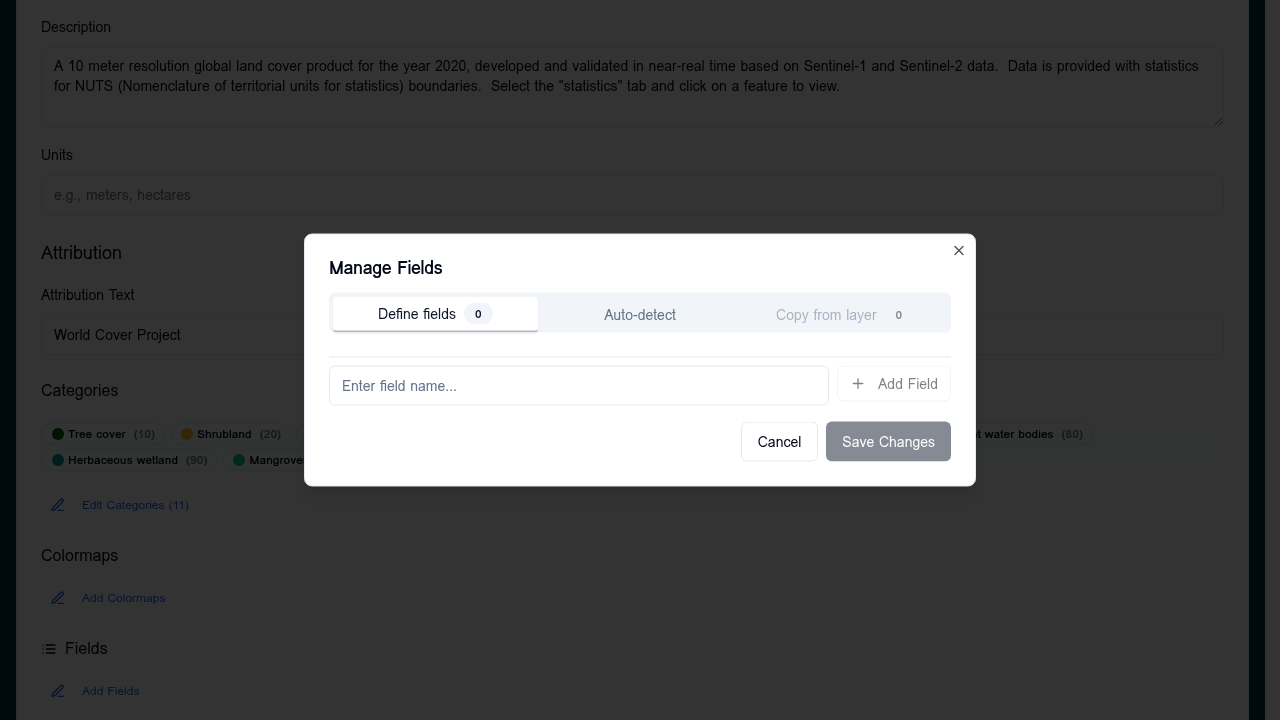
The Fields editor controls which feature properties appear in the APEx Geospatial Explorer's info panel and how each value is labelled and formatted. It is independent of Vector styling: styling controls how a feature looks on the map, fields control what users see when they click a feature.
When to use
- Hide noisy or internal properties (
fid,geom_id, raw timestamps) - Give properties friendlier display labels (e.g.
co2_t_yr→CO₂ (tonnes/year)) - Add prefix/suffix units (
%,°C,km²) - Round numeric values to a sensible precision
- Format dates and timestamps consistently
Opening the editor
In the layer card for any vector source (GeoJSON, FlatGeoBuf, WFS), click the inline Fields edit trigger. The dialog opens with one row per detected property.
Auto-detection
Fields are detected directly from the data source URL on first open:
- FlatGeoBuf — read from the file header (no full download)
- GeoJSON — inferred from the first feature's
propertiesobject
If detection fails (CORS, network error, empty source) you can add fields manually by name.
Field configuration
Each row exposes the following options:
| Option | Type | Purpose |
|---|---|---|
| Visible | toggle | Set to off to hide the field from the info panel (stored as null in config) |
| Label | text | Display name shown in the info panel |
| Prefix | text | Prepended to the value (e.g. ≈) |
| Suffix | text | Appended to the value (e.g. °C) |
| Precision | integer | Decimal places for numeric values |
| Order | integer | Position in the info panel (lower = higher) |
| Type | select | string (default) or date |
| Format | text | When type = date, a date-fns format string (e.g. yyyy-MM-dd) |
Schema
The configuration is persisted under the data source's meta.fields as a record:
"meta": {
  "fields": {
    "name": { "label": "Site Name", "order": 1 },
    "co2_t_yr": { "label": "CO₂", "suffix": " t/yr", "precision": 1, "order": 2 },
    "observed_at": { "label": "Observed", "type": "date", "format": "yyyy-MM-dd", "order": 3 },
    "fid": null
  }
}
A null value hides the field. An object with no properties uses the raw property name as the label.
Tips
- Define fields once per source and the configuration travels with import/export and JSON edits.
- Order is sparse — gaps are fine; fields without an
ordergo to the bottom alphabetically. - Date format strings are case-sensitive —
YYYYis wrong, useyyyy.